Email Response Time Tracking: The Complete Guide
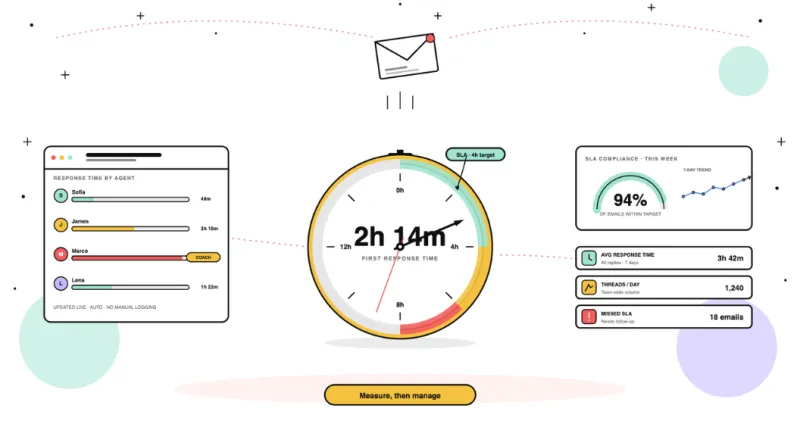
Email response time tracking measures how long your team takes to reply, automatically, by agent, by client. Here is everything you need to know to get started.
Measure, benchmark and improve email response times and SLA compliance.
Email response time tracking measures how long your team takes to reply, automatically, by agent, by client. Here is everything you need to know to get started.
Most follow-up guides focus on what to write. This one focuses on how managers ensure every email gets a response before a customer notices the delay.
Most teams discover they've missed an SLA after a client complains. This guide shows you how to shift from reactive to proactive SLA management with real-time alerts, client-level tracking, and AI escalation detection
No universal standard, it depends on your team type. Customer support: under 1h. Sales leads: under 5 min. Internal: same day. How to measure your team's actual performance and set targets that stick.
Learn how to create an email response time policy for your business. Discover best practices, standards, and expectations for professional email etiquette.
In this blog post, we'll discuss whether it's possible to track email response time on Outlook, workarounds for doing so, the best platforms to do it, and more.
Learn how to track email opens, replies, and response times in Outlook and Microsoft 365. Compare the best email tracking tools including Email Meter, Yesware, Mailbutler, and Boomerang.
Microsoft 365 and Google Workspace don't track shared mailbox performance natively. Here's how to monitor response times, workload distribution, and SLA compliance automatically.
Compare the best email response time tracking software for Gmail and Outlook. Track reply speed, SLA compliance, and team performance automatically.
P1 critical: 15–30 min. P2 high: 1–2h. P3 medium: 4–8h. P4 low: 1 business day. Industry benchmarks by priority level and how to track SLA compliance automatically across your team's email.
Unreplied emails cost your team deals, trust, and productivity. Learn how to track unanswered messages, set response time goals, and keep your inbox under control
For most companies, using an email response management software isn't just nice to have — it's. If you're looking for the perfect tool for your team, here's everything you need to know.
Get response times, workload and email volumes across Gmail & Outlook, so you can spot bottlenecks early, balance work fairly, and reply faster.