
Most managers who search for Gmail analytics discover the same problem: Google Workspace shows you basic email counts, not the performance data that matters for managing a team.
This guide covers what Gmail tracks natively, what it doesn't, and the best tools to fill the gap. For a complete introduction to email analytics for teams, see our email analytics complete guide. For a broader comparison of tools across both Gmail and Outlook, see our email analytics tools guide.
What is Google Email Analytics?
Gmail email analytics is the collection and analysis of data related to email usage on Google Workspace — including email volume, response times, workload distribution, and team communication patterns. It can be achieved through native Google Workspace tools or specialized analytics platforms like Email Meter.
Key insights you can gain from Gmail email analytics:
- Email volume and usage patterns — identify peak communication times and workload distribution among team members
- Response time metrics — measure how quickly your team responds to incoming emails, at individual and team level
- Performance benchmarking — compare your team's performance against industry benchmarks or historical data
- User activity and productivity — monitor individual and team email activity to gauge productivity and identify who needs support
- Security and compliance monitoring — track email usage for compliance with security policies and regulatory requirements
What does Gmail actually show you about your email performance?
Google Workspace offers two native analytics options both with significant limitations.
Google Workspace Admin Console
For administrators, the Google Workspace Admin Console provides basic usage reports:
- Number of emails sent and received per user
- Gmail storage usage per mailbox
- Active users over time
- Spam and malware reports
What it doesn't track: response times, SLA compliance, per-agent performance, shared mailbox analytics, unreplied email rates, or workload distribution. The Admin Console is designed for IT administration, not team performance management.
Google Workspace Marketplace add-ons
Google Workspace supports third-party add-ons that connect to Gmail via the Gmail API. These range from basic open tracking tools to comprehensive team analytics platforms like Email Meter. Unlike the native Admin Console, these tools can track the metrics that actually matter for team managers.
What email analytics metrics does Gmail not track natively?
This is the critical gap. Here's what Gmail and Google Workspace cannot tell you:
- Average response time per team member — how long each agent takes to reply
- First response time — how long new conversations wait before getting a first reply
- SLA compliance rate — what percentage of emails are answered within your target window
- Shared mailbox analytics — performance on support@, sales@, or any team inbox
- Unreplied email rate — threads that have received no response after 24h+
- Workload distribution — who is handling the most volume and who has capacity
- Busiest hours and days — when your team is under most pressure
For team managers, these are the metrics that actually matter. None of them are available natively in Gmail or Google Workspace.
What features should you look for in a Gmail email analytics tool?
When evaluating tools for Gmail and Google Workspace, here's what actually matters for team managers:
Response time tracking
The tool should track how quickly emails are responded to at both individual and team level. This is the most important metric for customer-facing teams.
Shared mailbox support
If your team uses shared inboxes like support@ or sales@, the tool must support Google Groups and delegated inboxes natively.
Customizable dashboards
Dashboards should be tailored to show the metrics most relevant to your team not a one-size-fits-all view.
Automated reporting
The tool should deliver weekly reports to managers automatically, without requiring manual logins.
Advanced filtering and segmentation
The ability to drill down by team member, time period, sender, or label to identify specific issues or trends.
Security and compliance
The tool should read only email metadata, timestamps, sender, recipient, never the content of messages. Look for GDPR and CCPA compliance.
Benchmarking
the ability to compare your team's performance against industry benchmarks or historical data to track improvement over time.
For SLA benchmarks by team type and industry, see our email response time guide.
Which tools give you the Gmail analytics Google Workspace can't?
Not all Gmail analytics tools are built for the same use case. Some track individual email opens — useful for sales reps following up on proposals. Others track team-level performance — what managers need to understand how the team is performing.
Here's how the main tools compare:
Email Meter — Best overall for Gmail team analytics
Email Meter was built natively for Google Workspace. It connects via the Gmail API and reads email metadata directly from your Google Workspace domain, no browser extension, no plugin, no changes to how your team uses Gmail.
What makes it the right choice for Gmail teams specifically:
- Google Groups support — tracks shared mailboxes built on Google Groups, which is how most Gmail teams manage support@ and sales@ inboxes
- Domain-wide deployment — your Google Workspace admin can authorize access for the entire organization in one step, without requiring individual users to connect
- BigQuery connector — exports Gmail analytics data directly to Google BigQuery for advanced analysis alongside other business data
- Gmail-native experience — no new interface to learn; data is delivered via weekly reports and a separate dashboard, so your team keeps working in Gmail as usual
Pricing: Free plan available. Plus from $19/user/month. Enterprise includes BigQuery connector and custom dashboards.
Verdict: If you manage a Google Workspace team and need response times, SLA compliance, and shared mailbox analytics, Email Meter is purpose-built for this. The Google Groups support and BigQuery connector are features no other tool on this list offers.
EmailAnalytics — Best for individual rep performance
EmailAnalytics connects to Gmail via API and gives managers a visual breakdown of each rep's email activity, volume, response times, busiest hours. The dashboards are clean and easy to read.
Where it falls short for Gmail teams: no Google Groups or shared mailbox support. If your team uses a shared support@ or sales@ inbox built on Google Groups, EmailAnalytics won't track it. It only tracks individual Gmail inboxes.
Best for: sales managers tracking individual rep performance on Gmail. Not suitable for customer support teams using shared inboxes.
Pricing: From $19/month.
Timetoreply — Best for real-time SLA alerts
Timetoreply's key differentiator is real-time SLA alerting, team members see a timer directly in their Gmail inbox showing how much time is left before an email breaches the SLA target. This is useful for customer service teams with strict response time commitments.
Where it falls short: less depth on historical analytics and trend data compared to Email Meter. No BigQuery integration. Pricing on request.
Best for: Gmail teams where real-time SLA alerting is the priority, you want emails to flag themselves as overdue before the deadline, not just report on it afterward.
Hiver — Best Gmail-native shared inbox with basic analytics
Hiver is built entirely inside Gmail, it adds shared inbox features (email assignment, collision detection, internal notes, status tracking) without requiring your team to leave Gmail or learn a new tool.
The analytics limitation: Hiver's response time and SLA data is basic compared to dedicated analytics tools. It tells you whether emails were answered on time, but not the deeper trend data or workload distribution that Email Meter provides.
Best for: Gmail-only teams who want shared inbox workflow management alongside basic analytics, and don't need Outlook support or deep historical data.
Pricing: From $19/user/month.
Gmelius — Best for Gmail collaboration on a budget
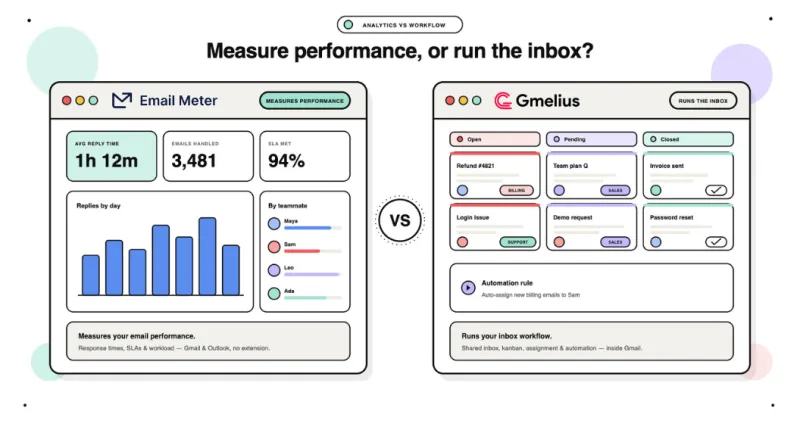
Gmelius adds shared inbox features to Gmail, email assignment, shared labels, internal notes, kanban view, at a lower price than Hiver. Basic response time analytics included.
Where it falls short: analytics are limited, some users report interface instability, and support can be slow.
Best for: small Gmail teams on a budget who need basic shared inbox features and don't require deep analytics.
Pricing: From $10/user/month.
How do you set up Gmail email analytics for your team in 5 minutes?
Step 1: Go to emailmeter.com/free and create a free account.
Step 2: Connect your Google Workspace account via the Gmail API. Your Google Workspace admin can authorize domain-wide access; meaning the tool deploys across your entire organization without requiring each user to connect individually.
Step 3: Email Meter immediately starts calculating response time data from your existing email history. You'll see your baseline within minutes, not days.
Step 4: Set your SLA targets, for example, "90% of customer emails answered within 4 hours." Email Meter tracks compliance automatically and sends weekly reports to managers every Monday.
Step 5: Review the per-member breakdown to identify who's consistently fast, who's overloaded, and which hours of the day see the most delays.
No changes to how your team works. No browser extension. No training required.
Start tracking your Gmail team's performance free
Which email metrics matter most by team type?
Sales teams
Speed is revenue. The metric that matters most is first response time to inbound leads. Responding within 5 minutes makes qualification 21x more likely than waiting 30 minutes. Track response time and email volume by rep to see who's fast and who's letting leads go cold.
Customer service teams
SLA compliance is the priority. Track first response time against your defined targets, resolution time, and unreplied email rate. If emails are going unanswered or threads are getting long, it signals a process problem, not a people problem.
For benchmarks by team type and industry, see our email response time guide.
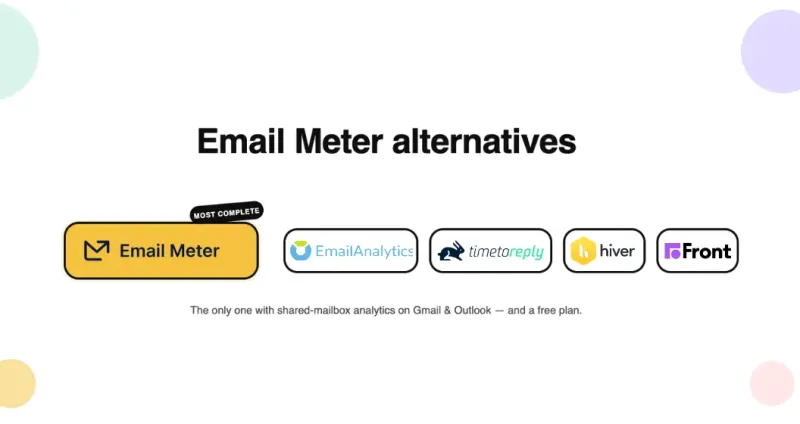
Email Meter, EmailAnalytics, Timetoreply, Hiver or Gmelius— which one is right for your Gmail team?
Choose Email Meter if you manage a customer support, sales, or operations team on Google Workspace, especially if you use shared mailboxes or Google Groups. It's the most complete analytics tool for Gmail team performance.
Choose EmailAnalytics if you manage individual sales reps without shared mailboxes and want clean, simple dashboards with per-rep performance data.
Choose Timetoreply if real-time SLA alerting is your primary need, you want emails to flag themselves as overdue before the deadline, not just report on it afterward. For more on what good SLA targets look like, see our SLA response time guide.
Choose Hiver if you're a Gmail-only team who wants shared inbox workflow management (assignment, notes, collision detection) plus basic analytics in one tool.
Choose Gmelius if you're a small Gmail team on a budget who needs basic shared inbox features and doesn't require deep analytics.
For a full comparison including Outlook tools, see our best email analytics tools for teams guide.
Frequently Asked Questions
Does Gmail have email analytics?
Gmail and Google Workspace provide limited native analytics through the Admin Console, basic send/receive counts and storage usage. They do not track team response times, SLA compliance, shared mailbox performance, or workload distribution. For team-level analytics, you need a third-party tool like Email Meter.
What is the best Gmail analytics tool for teams?
For teams managing customer-facing email on Google Workspace, Email Meter provides the most complete analytics: response time tracking, SLA compliance, workload distribution, and shared mailbox support. Free plan available.
Does Gmail track email response times?
No. Gmail and Google Workspace don't track how long your team takes to respond to emails. Email Meter connects to Google Workspace via the Gmail API and automatically calculates average response time, first response time, and SLA compliance for every email your team sends and receives.
Is there a free Gmail analytics tool for teams?
Email Meter has a free plan that includes basic response time tracking and email volume data, no credit card required. It's the most complete free option for Gmail team analytics.
Can you track shared mailbox analytics in Gmail?
Google Workspace doesn't provide analytics for shared mailboxes or Google Groups natively. Email Meter tracks shared mailbox performance on Gmail, response times per agent, SLA compliance, unreplied emails, and workload distribution across everyone with access to the shared inbox.
How does Gmail analytics software connect to Google Workspace?
Gmail analytics tools connect via the Gmail API, which provides read-only access to email metadata, timestamps, sender, recipient, thread structure. Google Workspace admins can authorize domain-wide access through the Google Admin Console, allowing deployment across the entire organization without individual user connections.
Does Gmail analytics software read the content of emails?
No, legitimate Gmail analytics software reads only metadata: timestamps, sender, recipient, and thread structure. It does not access or store the content of any message. Email Meter explicitly reads metadata only and complies with GDPR and CCPA data protection regulations.