
Most managers looking for an email analytics tool end up comparing tools built for very different things, individual open tracking, marketing campaigns, or CRM integration. None of those are what a team manager actually needs.
This guide focuses on one specific use case: team-level email analytics, response time tracking, workload distribution, SLA compliance, and shared inbox performance. If you manage a customer support, sales, or operations team and need visibility into how your team handles email, this is the comparison you need.
We've ranked five tools based on depth of analytics, platform support, ease of setup, and value for team managers. For a complete introduction to what email analytics actually measures and why it matters, see our email analytics complete guide.
If you're looking for something more specific, we've also put together dedicated guides:
- Outlook users → Does Outlook Have Email Analytics for Teams?
- Gmail users → Does Gmail Have Email Analytics for Teams?
- Not sure what email analytics is? → Email Analytics for Teams: The Complete Guide
The short answer
What should you look for in a team email analytics tool?
Before diving into the tools, it helps to understand what actually matters for team-level analytics and what doesn't.
Core features that matter:
Response time tracking
Does the tool track average response time, first response time, and median response time? These three together give a complete picture of team performance.
SLA compliance monitoring
Can you set custom targets (e.g., "90% of emails answered within 4 hours") and track compliance automatically? Without this, SLA commitments are aspirational.
Shared mailbox support
If your team uses shared inboxes (support@, sales@), the tool must support them natively. Most tools only track individual inboxes.
Workload distribution
Can you see email volume per team member? This reveals imbalances that managers often can't see from the inbox alone.
Data quality
Does the tool use direct API integration (not read receipts)? Read receipts can be declined by recipients and are unreliable for systematic tracking. Tools that connect via Gmail API or Microsoft Graph API provide more accurate, complete data.
Automated reporting
Can managers receive weekly reports automatically? The goal is to remove the need to log into a dashboard to stay informed.
What doesn't matter as much:
- Email open rates (unreliable since Apple Mail Privacy Protection)
- Individual read receipts (can be declined by recipients)
- Click tracking (only relevant for marketing campaigns, not team performance)
1. Email Meter - Best overall for team email analytics
Score: 9.0/10
Best for: Customer support, sales, and operations teams on Gmail or Outlook who need response time tracking, shared mailbox analytics, and SLA monitoring.
EmailMeter is purpose-built for the use case most teams actually have: understanding how their team handles email, not just tracking individual opens. It connects directly to Google Workspace or Microsoft 365, no browser extension required, no changes to your team's workflow.
What it does well:
- Response time tracking per team member, median, average, and distribution
- Shared mailbox analytics, the only tool on this list with full shared mailbox support on both Gmail and Outlook
- SLA compliance monitoring with configurable targets
- Workload distribution, who's handling the most volume
- Unreplied email tracking — which threads have gone unanswered
- Automated weekly reports delivered to managers every Monday
- Historical data up to 2+ years
- CRM integration via BigQuery connector — compatible with Salesforce and HubSpot
Pricing: Free plan available (basic response time tracking). Plus from $19/user/month with advanced filters, 2 years of data, and team dashboards.
Verdict: If you manage a team and you need to know how fast they're responding, who's overloaded, and whether you're hitting SLA targets, EmailMeter is the most complete tool for this use case. The shared mailbox support on both Gmail and Outlook is a genuine differentiator that no other tool in this list matches.
2. EmailAnalytics - Best for individual performance tracking
Score: 8.2/10
Best for: Sales teams and managers who want per-rep performance visibility across individual Gmail or Outlook inboxes.
EmailAnalytics is the closest competitor to EmailMeter for team analytics. It connects via API (no extension required) and gives managers visibility into each team member's email volume, response time, and activity patterns.
What it does well:
- Very clean, easy-to-read dashboards
- Response time tracking per individual team member
- Daily and weekly email reports delivered to managers automatically
- Busiest hours and day-of-week analysis
- Available for both Gmail and Outlook
Where it falls short:
- No shared mailbox support, it tracks individual inboxes only
- No SLA compliance monitoring
- No unreplied email tracking across the team
Pricing: paid plans start at $19/month (for the account holder) plus per-user fees for each team member tracked
Verdict: EmailAnalytics is good for tracking individual rep performance, particularly for sales teams. But if your team uses shared mailboxes (support@, sales@), it won't work, it only tracks individual inboxes. For shared mailbox use cases, EmailMeter is the better choice.
3. Timetoreply - Best for real-time SLA alerts
Score: 7.8/10
Best for: Customer service and sales teams with strict SLA requirements who need real-time alerts when threads go overdue.
Timetoreply focuses specifically on email response time and SLA compliance. Its differentiating feature is real-time alerting, team members can see SLA timers directly in their inbox, so they know which emails need to be answered before the clock runs out.
What it does well:
- Real-time SLA tracking with configurable targets
- SLA timers visible directly in the inbox
- Shared mailbox support on both Gmail and Outlook
- Customizable reports and data export
Where it falls short:
- Less depth on historical analytics and trend data
- Interface is less intuitive for non-technical users
- No free plan, pricing on request
Verdict: If real-time SLA alerting is your primary need, emails that flag themselves as overdue before the team misses the target, Timetoreply is the most focused tool for that use case. For broader team analytics including historical data and workload distribution, EmailMeter is more complete.
4. Hiver - Best Gmail-native shared inbox with analytics
Score: 7.5/10
Best for: Gmail teams who want shared inbox management (assignment, collision detection, notes) plus basic analytics, all without leaving Gmail.
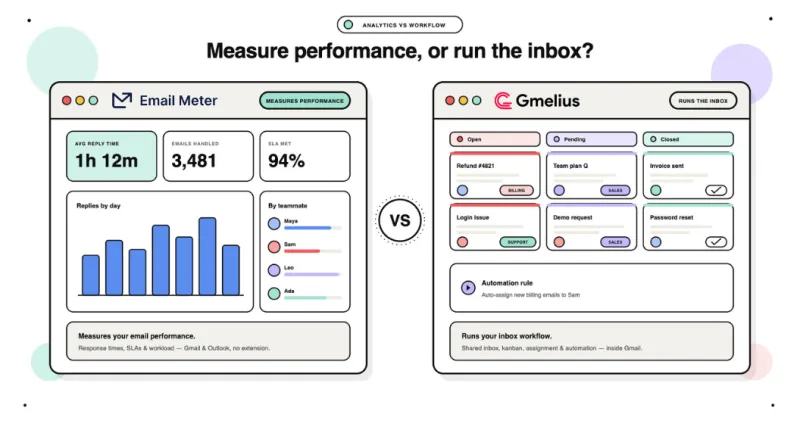
Hiver turns Gmail into a collaborative shared inbox tool. Unlike EmailMeter and EmailAnalytics, which are analytics-only, Hiver adds workflow features: assign emails to teammates, leave internal notes, set statuses, and prevent duplicate replies with collision alerts.
What it does well:
- Native Gmail interface, no separate dashboard to log into
- Email assignment and collision detection
- Basic response time and SLA analytics
- Works with shared inboxes and Google Groups
- Large existing user base and strong documentation
Where it falls short:
- Gmail only, no Outlook support
- Analytics are less deep than dedicated analytics tools, response time data is basic
- More expensive for what you get analytically: $19-49/user/month depending on tier
- Primarily a shared inbox tool that includes analytics, not an analytics tool first
Verdict: Hiver is a good choice if you're a Gmail-only team who wants shared inbox workflow management alongside basic analytics. If you need Outlook support or deeper analytics, Email Meter is the better fit.
5. Gmelius - Best for Gmail collaboration on a budget
Score: 6.8/10
Best for: Small Gmail teams who want shared inbox features and basic email analytics at a lower price point.
Gmelius is similar to Hiver but with a lower price point and somewhat less depth. It adds shared inbox features to Gmail, email assignment, shared labels, internal notes, alongside basic analytics on response times and team activity.
What it does well:
- Lower starting price than Hiver
- Email assignment and shared labels inside Gmail
- Basic response time analytics
- Kanban board view for email management
Where it falls short:
- Gmail only, no Outlook support
- Analytics are basic compared to dedicated tools
- Some users report interface bugs and slower support
Pricing: Growth from $10/user/month. Pro from $18/user/month.
Verdict: Gmelius is a reasonable budget alternative to Hiver for small Gmail teams. For analytics depth, EmailMeter or EmailAnalytics are significantly more powerful.
Head-to-head comparison
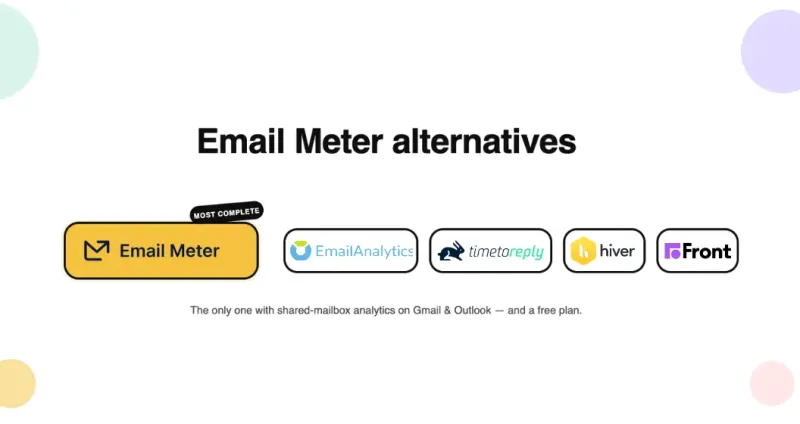
Email Meter, EmailAnalytics, Timetoreply, Hiver or Gmelius: which one is right for your team?
Choose Email Meter if you manage a customer support, sales, or operations team on Gmail or Outlook, especially if you use shared mailboxes. It's the most complete analytics tool for team performance, and the only one on this list with full shared mailbox support on both platforms. If you're specifically managing a Microsoft 365 team, see our Outlook email analytics guide for a deeper comparison.
Choose EmailAnalytics if: You manage a sales team with individual reps (no shared mailboxes) and you want clean, simple dashboards with per-rep performance data. Gmail and Outlook both supported.
Choose Timetoreply if real-time SLA alerting is your primary need, you want emails to flag themselves as overdue before the deadline, not just report on it afterward. For more on what good SLA targets look like, see our SLA response time guide.
Choose Hiver if: You're a Gmail-only team who wants shared inbox workflow management (assignment, notes, collision detection) plus basic analytics in one tool and you don't need Outlook support.
Choose Gmelius if: You're a small Gmail team on a budget who needs basic shared inbox features and don't require deep analytics.
Decision guide by team type
Customer support teams
Priority: Response time + SLA compliance + shared mailbox analytics→ Email Meter (most complete) or Timetoreply (if real-time alerts are critical)
Sales teams
Priority: Individual rep performance + email volume→ Email Meter (if you use shared mailboxes) or EmailAnalytics (individual reps only)
Operations teams
Priority: Workload distribution + email volume trends→ Email Meter (workload distribution + customizable dashboards)
Gmail-only teams
Email Meter (most comprehensive) or Hiver (if you want workflow features too)
Outlook teams
Email Meter (only tool with full Outlook shared mailbox support), see our Outlook email analytics guide
What is the best email analytics tool for small businesses?
Small businesses have different constraints than enterprise teams, budget is tighter, setup needs to be fast, and there's usually no IT team to manage the rollout.
The good news: the best email analytics tool for small businesses is the same as for larger teams: Email Meter. Here's why it works specifically for small businesses:
- Free plan available — no credit card required, no 14-day trial. The free plan includes basic response time tracking and email volume data. It's the only tool on this list with a permanently free tier.
- Setup in under 5 minutes — connect your Google Workspace or Microsoft 365 account and you'll see your baseline data within minutes. No IT involvement, no browser extension, no training required.
- Scales as you grow — start free with a small team, upgrade to Plus ($19/user/month) when you need shared mailbox analytics, SLA compliance tracking, and automated manager reports.
- No changes to how your team works — your team keeps using Gmail or Outlook exactly as before. Email Meter runs in the background.
For small businesses on Gmail, Hiver and Gmelius are also worth considering if you want shared inbox workflow features (assignment, collision detection) alongside basic analytics, both have lower starting prices than enterprise tools.
Common mistakes to avoid with email analytics
Using analytics as a surveillance tool
Don't use email analytics to punish slow responders or micromanage team members. Use it to identify bottlenecks and provide support. Teams that feel watched shut down, teams that feel supported improve.
Setting unrealistic targets
Don't set SLA targets that are impossible to meet with current capacity. Set goals based on historical data and actual team capacity, then tighten them over time.
Reviewing data monthly instead of weekly
Monthly reviews catch problems that have already become expensive to fix. A weekly 15-minute review with three numbers, SLA compliance rate, average response time, unreplied email count, catches issues before they become client complaints.
Ignoring per-member data
Team averages hide individual problems. A team average of 4 hours might mean one person responds in 30 minutes while another takes 12 hours. Without per-member data, the slow responder never gets the coaching they need.
Not sharing data with the team
Analytics data should be shared transparently, not kept hidden from managers. When team members can see their own response time alongside the team average, they self-correct naturally.
FAQ
What is the best email analytics tool for teams?
For most teams managing customer-facing email on Gmail or Outlook, Email Meter provides the most complete analytics: response time tracking, SLA compliance, workload distribution, and shared mailbox support, all on both platforms. Free plan available.
Are there free email analytics tools for teams?
Email Meter has a free plan that includes basic response time tracking and email volume data, no credit card required. It's the only tool on this list with a genuinely useful free plan for team analytics. Hiver also has a limited free plan, focused on shared inbox management rather than analytics.
Do email analytics tools work with shared mailboxes?
Email Meter, Timetoreply, Hiver, and Gmelius all support shared mailboxes. EmailAnalytics does not, it only tracks individual user inboxes. If your team uses shared inboxes like support@ or sales@, Email Meter is the most complete option with full support on both Gmail and Outlook.
Do I need to install a browser extension?
Email Meter, EmailAnalytics, and Timetoreply all work via API, no browser extension required. Hiver and Gmelius require a Chrome extension to function inside Gmail.
Can I track email analytics in Outlook?
Email Meter, EmailAnalytics, and Timetoreply all support Outlook and Microsoft 365. Hiver and Gmelius are Gmail-only. For a complete guide on what Outlook tracks natively and what requires a third-party tool, see our Outlook email analytics guide.
What key features should I look for in an email analytics tool?
For team-level analytics: response time tracking per member, SLA compliance monitoring, shared mailbox support, workload distribution, and automated manager reports. Open rates and click tracking are less relevant for team performance, they're marketing metrics, not inbox management metrics. For a complete breakdown of what metrics matter, see our email analytics dashboard guide.
How do email analytics tools integrate with CRM systems?
Email Meter integrates with CRM systems including Salesforce and HubSpot via its BigQuery connector, making it easy to combine email performance data with your customer data for a complete view of team activity.
What is the best email analytics tool for small businesses?
Email Meter is the best email analytics tool for small businesses, it has a permanent free plan (no credit card required), takes under 5 minutes to set up, and requires no IT involvement or browser extension. For small Gmail teams who also want shared inbox features, Hiver and Gmelius are worth considering.