
Email Analytics for Teams: The Complete Guide (2026)
Email analytics measures how your team handles email, response times, workload, SLA compliance. Not the same as email marketing analytics. The complete guide for team managers.
Email analytics, reporting and tracking guides for Gmail, Outlook and Microsoft 365 teams.
Email analytics measures how your team handles email, response times, workload, SLA compliance. Not the same as email marketing analytics. The complete guide for team managers.
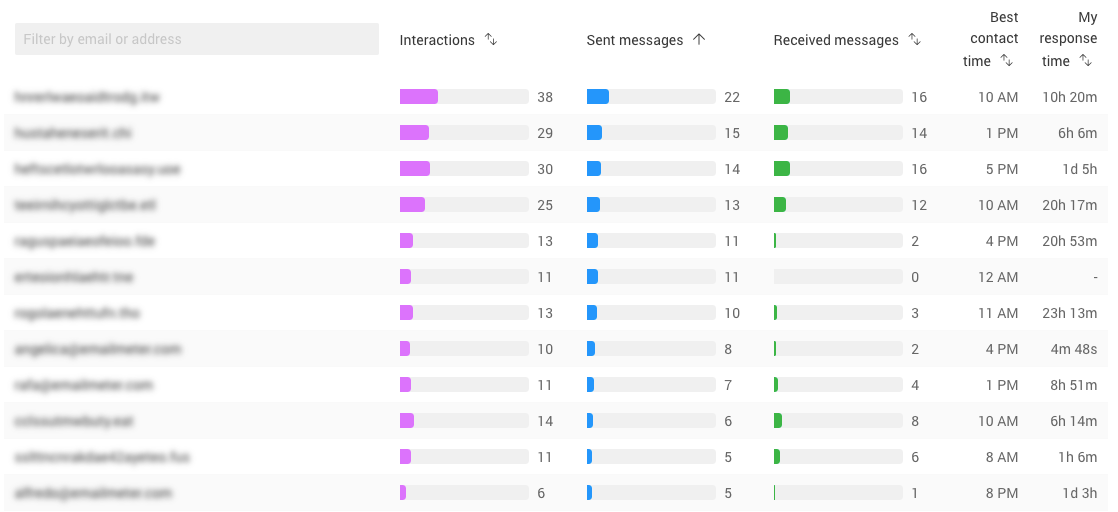
Find out who sends and receives the most emails in your inbox. Learn how to identify your top senders in Gmail and Outlook to declutter and manage your time.
We want to empower our users to maximize their understanding of their email activity. We've updated our CSV export to include the raw data your metrics are generated from, opening a whole world of possibility for further data analysis!
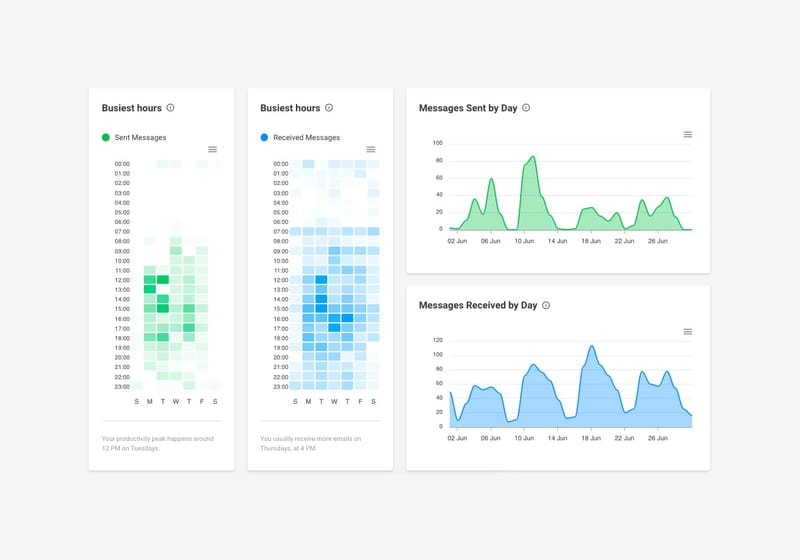
We've updated our email volume metrics to make them even more informative and intuitive, allowing you to gain insights on when your busiest hours and dates are. We've also expanded our Top Interactions chart! Check out our latest updates here.
With our new Gmail Add-on, you can get analytics from your inbox interface, saving you time and allowing thread-specific insights. Find out how you can install it for free from the G Suite Marketplace here.
We've dived into the changes which BigQuery underwent a year ago to draw some conclusions on how this affects email analytics and possibilities it unlocks for understanding your email usage.
Discover real-time email statistics and learn how to boost your campaign performance and deliverability in 2026 with actionable insights and proven strategies.
Get response times, workload and email volumes across Gmail & Outlook, so you can spot bottlenecks early, balance work fairly, and reply faster.